How to Track Social Media Campaigns in GA4 With UTM Parameters
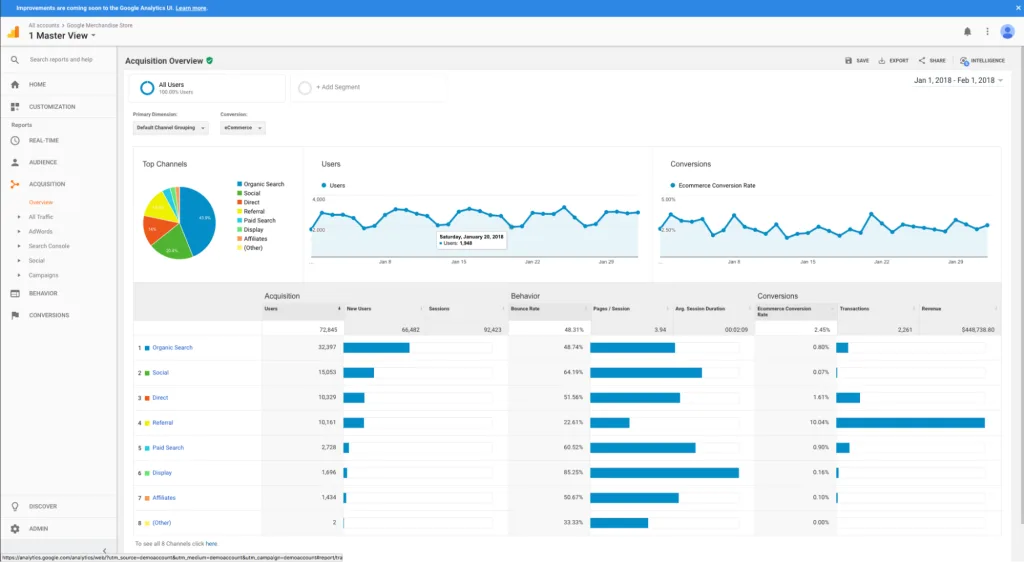
You can track social media campaigns in Google Analytics 4 by adding consistent UTM parameters to every campaign link, testing the tagged URL, and reading the results under Reports > Acquisition > Traffic acquisition. Use utm_source for the platform, utm_medium for the channel type, utm_campaign for the initiative and utm_content to distinguish individual posts or creatives.
The tracking only becomes useful when the naming stays consistent. GA4 treats capitalization and spelling differences as separate values, so instagram, Instagram and insta can fragment one platform into three report rows.
What UTM parameters do
UTM parameters are labels appended to a destination URL. They tell analytics software where a click came from and which marketing effort produced it. For example:
https://example.com/guide/
?utm_source=instagram
&utm_medium=organic_social
&utm_campaign=fall_launch
&utm_content=reel_demo
When a visitor opens that URL and the Google tag loads correctly, GA4 processes the values into campaign and traffic-source dimensions. Google’s official URL-builder documentation says custom campaign data appears in the Traffic acquisition report.
UTMs do not track impressions, likes, video views or comments inside the social platform. They measure what happens after someone clicks through to your website. Combine GA4 website outcomes with the platform’s native reach and engagement metrics for a complete campaign view.
The UTM parameters you need for social media
| Parameter | Purpose | Social example |
|---|---|---|
utm_source |
Identifies the platform or referrer | instagram, facebook, linkedin |
utm_medium |
Identifies the marketing channel | organic_social or paid_social |
utm_campaign |
Groups links under one initiative | fall_launch |
utm_content |
Distinguishes posts, placements or creatives | reel_demo, bio_link, carousel_a |
utm_id |
Adds a stable campaign identifier | fl26 |
utm_term |
Usually identifies paid keywords | Often unnecessary for organic social |
At minimum, Google recommends using utm_source, utm_medium and utm_campaign together. Its current manual-tagging guidance also recommends setting all relevant fields—including campaign ID and source platform—when your reporting workflow uses them, because incomplete tags can produce (not set) values.
Create a UTM naming convention before building links
A naming convention prevents reporting cleanup later. Write it in a shared spreadsheet or campaign brief and make it mandatory for everyone who publishes links.
A practical convention is:
- Use lowercase for every value.
- Use underscores or hyphens consistently—do not alternate between them.
- Use the full platform name consistently, such as
instagramrather than mixing it withigandinsta. - Keep the medium stable across platforms:
organic_socialfor unpaid posts andpaid_socialfor social ads. - Use one campaign name across all channels participating in the same launch.
- Use
utm_contentfor the placement or creative, not another version of the campaign name. - Never put spaces, emoji or changing dates into fields unless your documented convention requires them.
Google states that UTM values are case sensitive. For example, SpringSale and springsale are reported separately. Consistent lowercase names are the easiest way to avoid that split.
Example naming plan
Suppose a company launches a product through an Instagram Reel, a LinkedIn post and a paid Facebook video. The links could use:
Instagram Reel
utm_source=instagram
utm_medium=organic_social
utm_campaign=fall_launch
utm_content=reel_demo

LinkedIn post
utm_source=linkedin
utm_medium=organic_social
utm_campaign=fall_launch
utm_content=founder_post

Facebook video ad
utm_source=facebook
utm_medium=paid_social
utm_campaign=fall_launch
utm_content=video_a
The shared campaign value lets you compare the overall launch. Source and medium separate platforms and paid versus organic traffic. Content identifies the individual execution.
How to build a tagged social media URL
Option 1: Use Google’s Campaign URL Builder
- Open the official Campaign URL Builder.
- Paste the clean destination page into Website URL.
- Enter the platform in Campaign source.
- Enter
organic_socialorpaid_socialin Campaign medium. - Enter the agreed campaign name.
- Add a content value to identify the specific post or creative.
- Copy the completed URL and record it in the campaign sheet.
Option 2: Build the URL manually
Start the parameters with a question mark, separate each key from its value with an equals sign and separate pairs with ampersands:
https://example.com/product/
?utm_source=tiktok
&utm_medium=organic_social
&utm_campaign=fall_launch
&utm_content=short_demo
If the destination already contains a query string, append the UTMs with an ampersand rather than adding a second question mark. A builder reduces syntax errors and automatically encodes values that need it.
Test every UTM link before publishing
Open the finished link in a private browser window and verify four things:
- The correct landing page loads without an error.
- The UTM parameters survive every redirect.
- The Google tag loads and records the visit.
- The page works on mobile and does not expose a broken or excessively long URL.
Google lists missing UTMs and redirects that strip parameters among the causes of (direct) / (none) traffic. Some link shorteners can also remove referral details, so test the final shortened link—not just the original long URL.
For a live validation, use GA4 Realtime while opening the campaign URL from a separate browser or device. Standard acquisition reports are processed rather than instantaneous, so do not diagnose a missing campaign solely from the first few minutes.
How to view social campaign data in GA4
Google’s current Traffic acquisition instructions use this path:
- Sign in to Google Analytics.
- Select Reports.
- Open Acquisition > Traffic acquisition.
- Change the primary dimension to Session source / medium or Session campaign.
- Search or filter for the platform, medium or campaign value you created.
Useful dimensions include:
- Session source / medium: compares values such as
instagram / organic_socialandfacebook / paid_social. - Session campaign: combines performance for the same campaign name across platforms.
- Session source: compares individual social networks.
- Landing page: shows which site pages received the campaign traffic.
- Manual ad content: helps distinguish the
utm_contentvariations.
Use session-scoped dimensions when evaluating visits generated by a campaign. First-user dimensions answer a different question: how a user was originally acquired, which might have happened before the current campaign.
Measure outcomes, not only sessions
Sessions tell you a link was clicked, but they do not prove business value. Choose the actions that represent success, such as:
- A completed purchase.
- A submitted lead form.
- An account registration.
- A booked consultation.
- A paid subscription.
- Another meaningful step that reliably predicts value.
In GA4, identify the relevant event and mark it as a key event. Google’s key-event guide explains that key events let you evaluate the marketing channels that lead to important actions. Marking an event affects reporting from that point forward; it does not retroactively transform old events.
Then compare each campaign’s sessions, engaged sessions, key events, session key-event rate and revenue where available.
Calculate campaign ROI
When costs and attributed revenue are reliable, a basic return-on-investment formula is:
ROI = (Attributed revenue − Campaign cost) ÷ Campaign cost × 100
If a campaign cost $1,000 and generated $1,600 in attributed revenue, the calculated ROI is 60%. Document the attribution model and lookback window used, because a different model may distribute credit differently across touchpoints.
For organic campaigns, replace ad spend with the real production and labor cost when possible. If revenue attribution is unavailable, report a defined cost per qualified lead or another business outcome instead of labeling likes as ROI.
How to use UTMs with a social media scheduler
Create the tagged destination URL before adding a post to the queue. Paste the correct variant into each platform’s customized version rather than using one identical URL everywhere.
For example, an Instagram version should contain utm_source=instagram, while the LinkedIn version should contain utm_source=linkedin. Our guide to scheduling social media posts with Buffer explains how to customize a queued post per channel.
Keep the UTM naming sheet beside the content calendar. That makes attribution part of publishing rather than a rushed step added after captions and media are approved.
Common UTM mistakes that break social reporting
Mixing names for the same source
facebook, fb and Facebook.com produce separate values. Choose one official spelling.
Using inconsistent media
Do not label the same kind of traffic social, organic, organic-social and organic_social. One medium should represent one channel type.
Reusing one link for every placement
If the profile bio, Story, Reel and pinned comment all use identical tags, GA4 cannot tell which placement drove the visit. Use utm_content to distinguish them.
Putting UTMs on internal links
UTMs are intended for inbound campaign links. Adding them to navigation, banners or links between pages can pollute campaign attribution and create unnecessary URL variants. Keep internal links clean.
For SEO, canonical tags and XML sitemaps should also use the clean destination URL—not its UTM versions. Our guide to fixing crawled but unindexed pages explains how consistent canonical, sitemap and internal-link signals help Google understand the preferred URL.
Allowing redirects to remove parameters
Test vanity domains, link shorteners, HTTP-to-HTTPS redirects and app-opening links. The final page must still receive the parameter values.
Adding private information to the URL
Campaign URLs can appear in browser histories, analytics systems, screenshots, server logs and shared messages. Never place names, email addresses, phone numbers, customer IDs, order details or other personally identifiable information in UTM values. Google Analytics policies prohibit sending data that Google could recognize as PII.
Comparing platform clicks directly with GA4 sessions
A platform click and a GA4 session are not identical measurements. Multiple clicks can occur within one session; consent choices, blockers, slow loads and page exits can prevent measurement. Use the numbers to understand trends and outcomes, not to force two systems into perfect equality.
A reusable UTM template for social campaigns
Destination:
https://example.com/landing-page/

utm_source:
instagram | facebook | linkedin | tiktok | youtube | x

utm_medium:
organic_social | paid_social

utm_campaign:
product_or_initiative_name

utm_content:
placement_creative_version

utm_id:
stable_internal_campaign_id
Store the destination URL, final tagged URL, campaign owner, publish date, platform, creative and cost in the same sheet. Lock the accepted source and medium values with dropdown lists to reduce typing variations.
Frequently asked questions
Do I need UTMs for every social media link?
Use them for links intended to drive measurable campaign traffic to your website. A purely conversational post with no external destination does not need a UTM. Profile links, ads, launch posts and creator links usually benefit from consistent tagging.
What should utm_medium be for social media?
Use one documented value for each traffic type. organic_social and paid_social are clear options, and Google specifically uses paid_social as a medium example. Consistency matters more than inventing a new label for every campaign.
Should utm_source be Meta or Facebook?
Use the individual platform if you want granular reporting. Tag Facebook traffic as facebook and Instagram as instagram, even when both campaigns are managed through Meta tools.
Where is utm_content in GA4?
Manually tagged utm_content values populate manual ad-content dimensions. Add the relevant dimension in a report or Exploration to compare placements and creative variants.
Why does my campaign appear as direct traffic?
The link may lack UTMs, a redirect or shortener may have stripped them, the tag may not have loaded, or privacy tools may have prevented attribution. Test the exact public link from click to landing page.
Do UTMs affect SEO rankings?
UTMs are tracking parameters, not ranking improvements. Use clean URLs for canonical tags, sitemaps and internal links, and reserve tagged variants for external campaign links.
Can I change UTM names after a campaign starts?
You can, but doing so splits the same campaign into separate report values. Correct a serious error if necessary, document the change, and avoid renaming fields simply for cosmetic reasons.